The short answer to how to stay safe online is that five controls stop most attacks: long unique passwords held in a password manager, passkeys or an authenticator app instead of text-message codes, automatic updates on every device, deliberate suspicion toward any message that creates urgency, and a physical cover over the cameras you are not using. Software settings handle the first four. The fifth is hardware, and it is the one almost every safety guide leaves out.
This guide is written for US professionals who carry information other people want: executives traveling internationally, journalists protecting source confidentiality, healthcare staff working with patient records, lawyers bound by attorney-client privilege, and remote workers joining calls from hotel rooms and airport lounges. The threat model matters. Advice that sounds paranoid for a casual browser is routine hygiene when one compromised device exposes a client list or a confidential source.
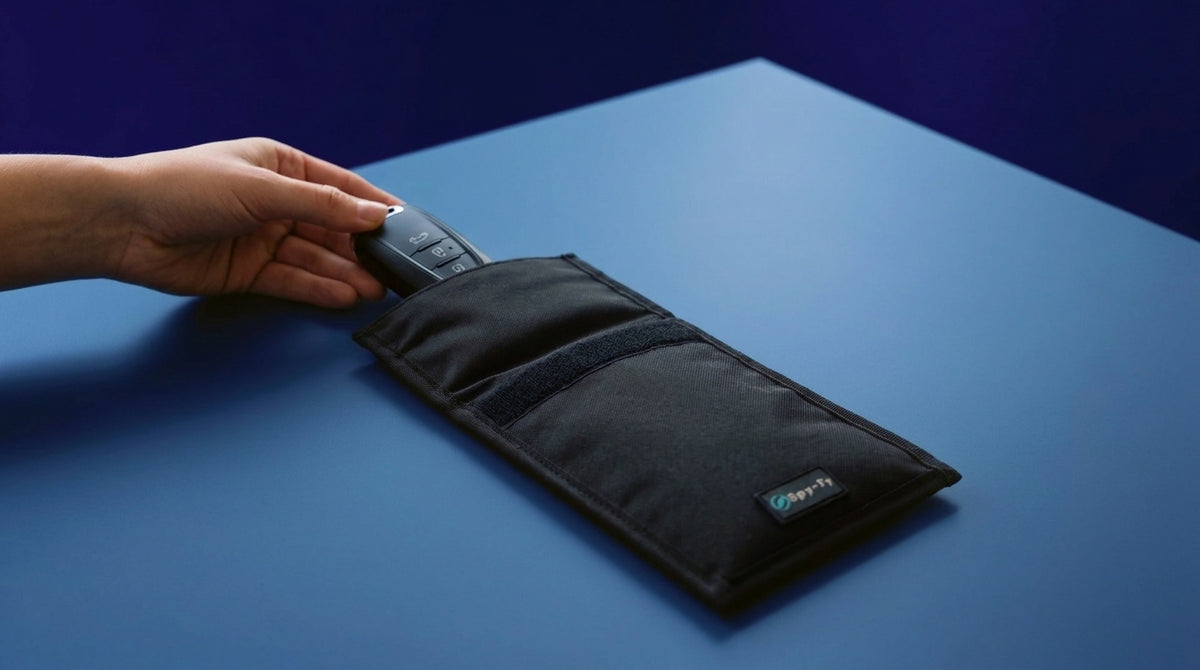
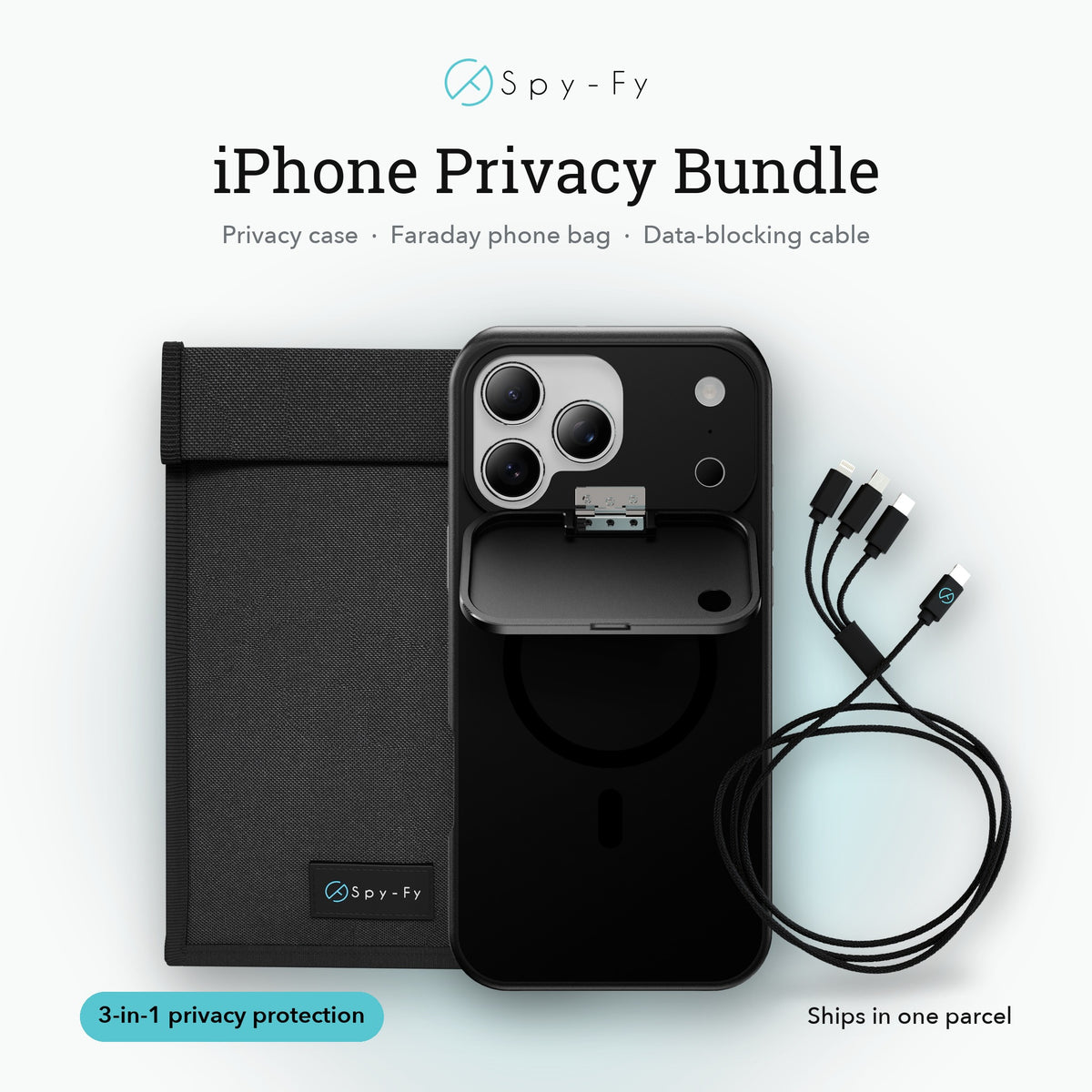
The scale is documented. The Federal Trade Commission (FTC, the US consumer protection agency) told Congress in testimony on the scam economy that consumers filed 3 million fraud reports with $15.9 billion in reported losses in 2025. The FBI's Internet Crime Complaint Center (IC3, the bureau's public reporting channel for cybercrime) logged 1,008,597 complaints and $20.877 billion in losses in its 2025 annual report, a 26% rise in losses versus 2024. Those are reported figures only, so the true totals run higher. Alongside the account and network habits below, Spy-Fy's privacy cases with built-in camera covers close the one gap software cannot.
Online safety works in four layers
Online safety is the set of habits and controls that keep your accounts, devices, data and physical surroundings out of reach of people who want to steal from you, impersonate you or watch you. It is not a product you buy once. It is a configuration you set and a small number of reflexes you practice.
Useful work splits into four layers. Most guides cover the first three and stop.
- Accounts: passwords, passkeys, multi-factor authentication (MFA, a second proof of identity on top of your password), recovery options and breach monitoring.
- Devices: operating system and browser updates, app permissions, disk encryption and lock screens.
- Network: home router configuration, public Wi-Fi behavior, public charging ports, and your choice of virtual private network (VPN, a service that encrypts your traffic and routes it through a provider you select) and domain name system (DNS, the lookup service that turns a web address into a server address).
- Physical: what your camera sees, what your microphone hears, what the person behind you on a plane can read, and what a contactless reader can pull from your wallet.
The fourth layer is where Spy-Fy's work sits, and it is the layer that cannot be revoked by a software bug. A permission toggle can be flipped by malware or by a mistaken tap. A sliding cover over a lens is a mechanical fact.
How to stay safe online with four core habits
Safe internet use rests on four habits that counter the attack paths actually used against people. Verizon's Data Breach Investigations Report (DBIR, an annual analysis of real-world breach data) puts the human element in 62% of breaches and phishing as the initial access vector in 16%. Fixing passwords, authentication, updates and message hygiene removes most of that surface.
Use long passwords and stop rotating them
The National Institute of Standards and Technology (NIST, the US federal standards body) sets the benchmark in SP 800-63B-4. It requires a minimum of 15 characters when a password is the only factor, at least 8 characters when the password sits behind multi-factor authentication, and support for passwords up to 64 characters. The same standard tells services they shall not impose composition rules (one capital, one number, one symbol) and shall not force periodic password changes. New passwords must be screened against a blocklist of breached and common passwords, and password managers and autofill must be allowed.
The practical translation: use a password manager, generate a different long passphrase for every account, and never change a password on a calendar schedule. Change it when there is a reason, such as a breach notice.
Move to passkeys wherever they are offered
A passkey is a cryptographic credential stored on your device and unlocked by Face ID, Touch ID or a personal identification number (PIN, the numeric device passcode). It cannot be typed into a fake login page, which is what makes it phishing-resistant. The FIDO Alliance (Fast IDentity Online, the industry body behind the standard) estimates 7 billion passkeys in use, with 75% of surveyed consumers having enabled one on at least one account. Its Passkey Index finds that 36% of successful sign-ins use a passkey, and that passkey sign-ins succeed 93% of the time against 78% for passwords and traditional multi-factor authentication. Every Index participant measuring phishing reported fewer successful attacks after deploying passkeys.
Where passkeys are not available, use an authenticator app or a hardware key rather than codes sent by text message, which are not phishing-resistant. Never read a code aloud to someone who calls you. Legitimate organizations do not ask.
Keep every device on a supported version
Updates close the holes attackers buy and reuse. Turn on automatic updates for the operating system, browser and apps on every device you own, including tablets and smartwatches, and run the latest iOS release on your iPhone. Windows 10 stopped receiving standard security updates on 14 October 2025. Only machines enrolled in Microsoft's consumer Extended Security Updates program (ESU, free or paid coverage for version 22H2) still receive critical and important patches, and Microsoft now runs that program through 12 October 2027. You can still enroll at any point before that date, and devices already enrolled stay covered automatically through 12 October 2027 with no further action.
Treat urgency as the tell
Almost every scam message applies time pressure: an account about to close, a package stuck in customs, a payment that must move before end of day. Slow down, open the organization's app or type the address yourself, and verify any change to payment details by phone using a number you already had. The padlock icon in a browser bar proves the connection is encrypted. It proves nothing about who owns the site, and scammers buy certificates as easily as anyone else.
Where the money actually goes
Fraud follows predictable channels, and knowing them tells you which habits to prioritize. According to the FTC's testimony, investment scams caused roughly half of reported consumer fraud losses at $7.9 billion, while imposter scams were the most frequently reported category with 1 million reports and $3.5 billion lost. Social media is the costliest fraud contact method, with $2.1 billion in reported losses in 2025, and nearly 30% of people who reported losing money to a scam said it started there. The IC3 report tracks an artificial-intelligence-related crime descriptor covering deepfakes and cloned voices, recording 22,364 complaints and $893,346,472 in losses. For organizations, business email compromise, where an attacker impersonates an executive or vendor by email to redirect a payment, produced $3.046 billion in IC3-reported losses across 24,768 incidents, roughly $123,000 per case.
The table below maps each layer to the control that holds up under pressure. Two terms in it need expanding first. The network row refers to a Universal Serial Bus data blocker (USB, the standard charging and data port on phones and laptops), a small adapter that passes power through while cutting the data pins. The physical row refers to a radio frequency identification blocking card (RFID, the contactless chip technology used in payment cards and passports).
| Layer | Main threat | Control that actually works |
|---|---|---|
| Accounts | Credential theft, fake login pages | Passkeys, password manager, authenticator app |
| Devices | Unpatched flaws, over-permissioned apps | Automatic updates, permission audits, supported operating system |
| Network | Hostile Wi-Fi, malicious charging ports | Cellular hotspot, paid and audited virtual private network, USB data blocker |
| Payments | Invoice fraud, voice cloning | Verification by phone on a number you already had |
| Physical | Camera and microphone access, card skimming | Sliding camera covers, RFID blocking card |
The ten-minute safety checklist
Work through this in order on your main phone and laptop, then repeat it once a quarter. Nothing on the list requires a subscription or technical skill.
- Install a password manager and let it generate a passphrase of 15 characters or more for your email account first. Email is the master key to everything else.
- Enable a passkey on every service that offers one, starting with Apple, Google, Microsoft and your bank.
- Switch any remaining text-message codes to an authenticator app or a hardware key.
- Turn on automatic updates for the operating system, browser and apps on every device you own, including tablets and smartwatches.
- Open your camera and microphone permission lists and revoke access for every app that does not need it. On iPhone this sits under Settings, Privacy and Security. On a Mac it sits under System Settings, Privacy and Security.
- Check your email address against a reputable breach-notification service and change any password it flags.
- Change your router's admin password away from the factory default and confirm it runs Wi-Fi Protected Access 3 or Wi-Fi Protected Access 2 (WPA3 or WPA2, the encryption standards for wireless networks).
- Review what is public on your main social accounts, especially birthdays, home addresses and travel dates.
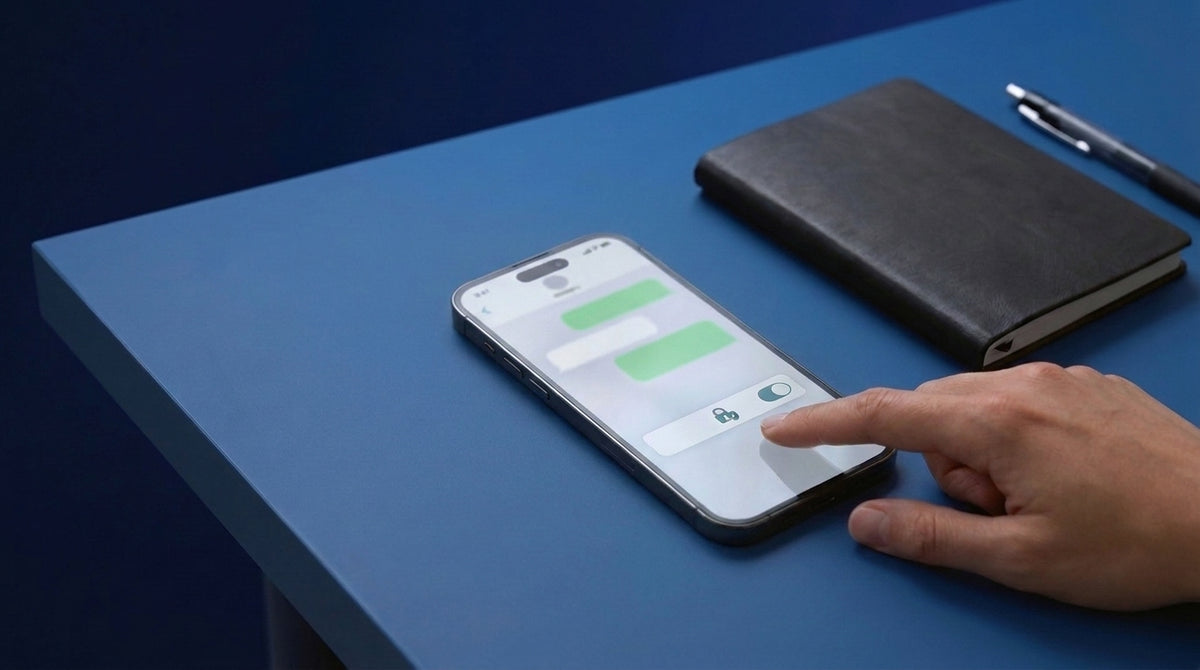
- Set a passcode of six digits or longer on your phone and turn off message previews on the lock screen.
- Put a physical cover on the camera you use for work calls, and close it when the call ends.
The risk most online safety guides skip
Camfecting is the practice of taking control of a webcam or phone camera without the owner's knowledge, usually through malware that already has a foothold on the device. The defining detail is that it is invisible by design. Attack tooling is written to avoid drawing attention, and on many laptops the indicator light depends on the same software stack the attacker has compromised, while Apple states a Mac's built-in camera cannot be activated without its indicator light turning on. Treating an unlit light-emitting diode (LED, the small indicator next to the lens) as proof that nothing is recording is a guess, not a control.
Targeted spyware is not theoretical for this audience. Apple has sent mercenary-spyware threat notifications to users in 110 countries, delivered as a Lock Screen alert and a notice in Settings, an email from threat-notifications@email.apple.com, and a banner on account.apple.com. A further wave went out from 29 October 2026 to users in 99 countries according to reporting by the Financial Times and TechCrunch, and Apple's own support document states it has notified users in more than 150 countries in total. Apple advises anyone who receives one to enable Lockdown Mode and seek expert help, pointing to Access Now's 24/7 Digital Security Helpline, and states that it has no confirmed case of a successful mercenary spyware compromise on a device with Lockdown Mode enabled.
Hardware defenses are improving. Memory Integrity Enforcement, the always-on hardware memory-safety protection built into every iPhone 17 model and the iPhone Air with A19-class chips, covers the kernel and more than 70 userland processes and raises the cost of exactly this kind of attack. That protection is tied to those chips, so older iPhones do not have it. None of this changes the basic arithmetic: software controls reduce probability, and a closed cover reduces possibility to zero. A lens with a shutter over it has nothing to transmit.
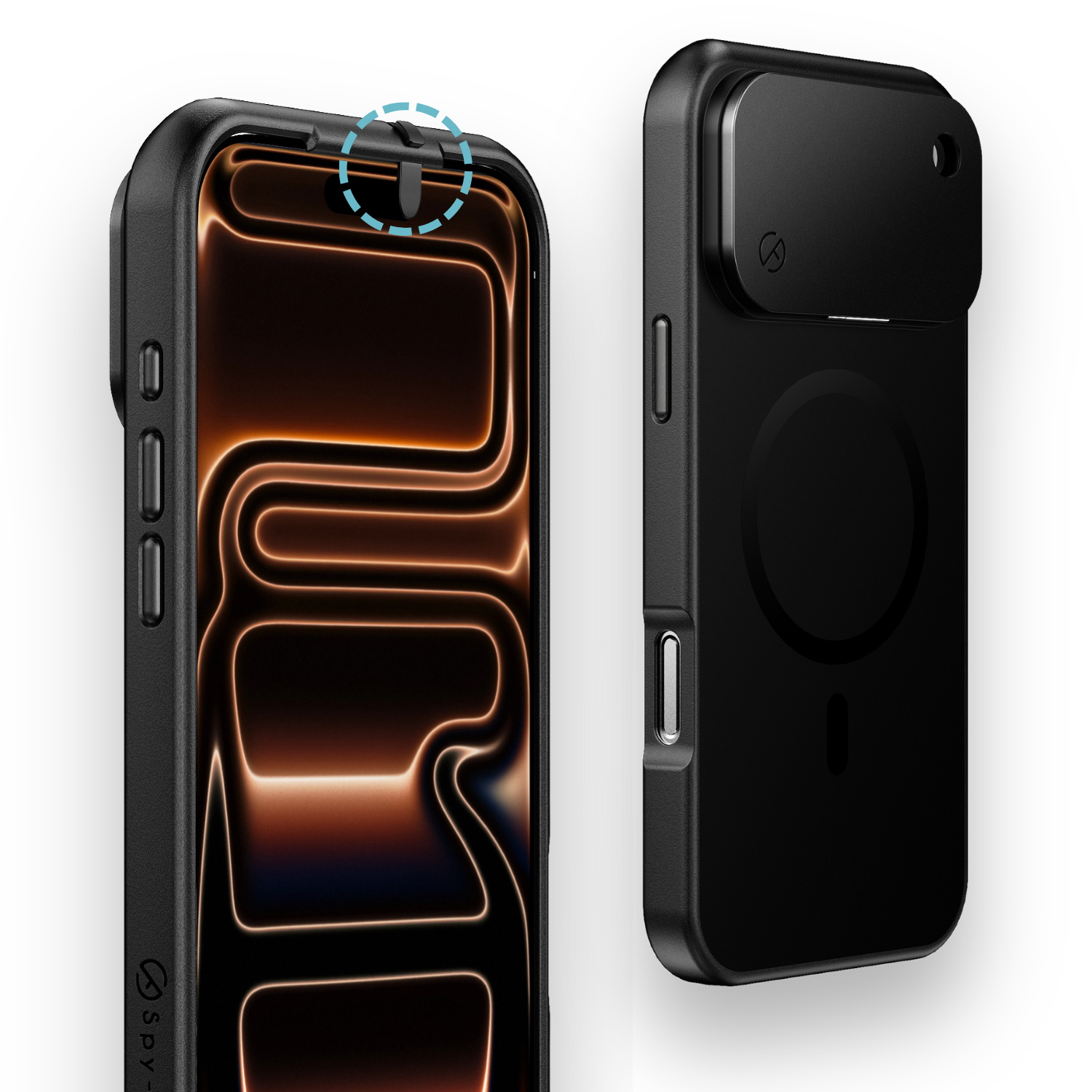
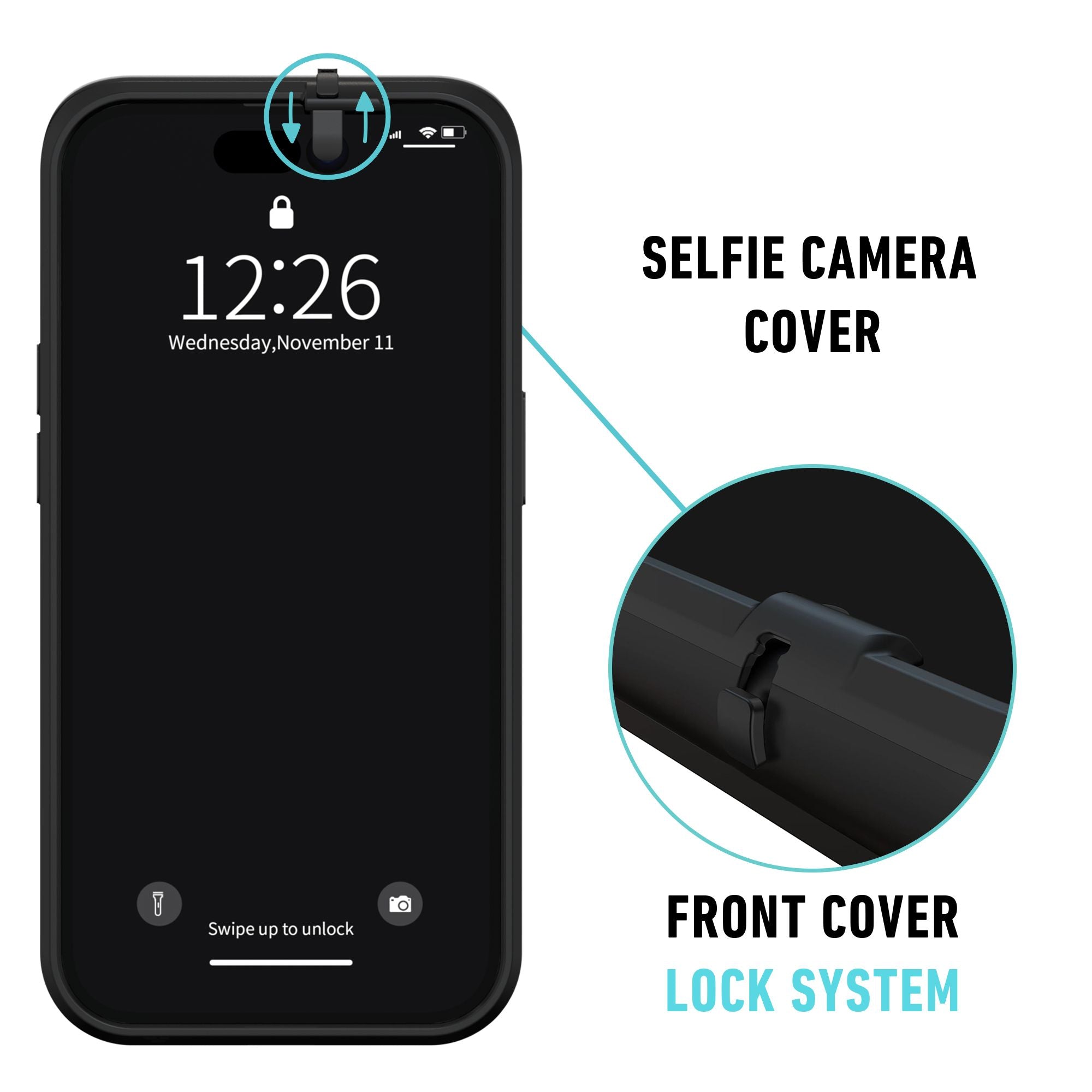
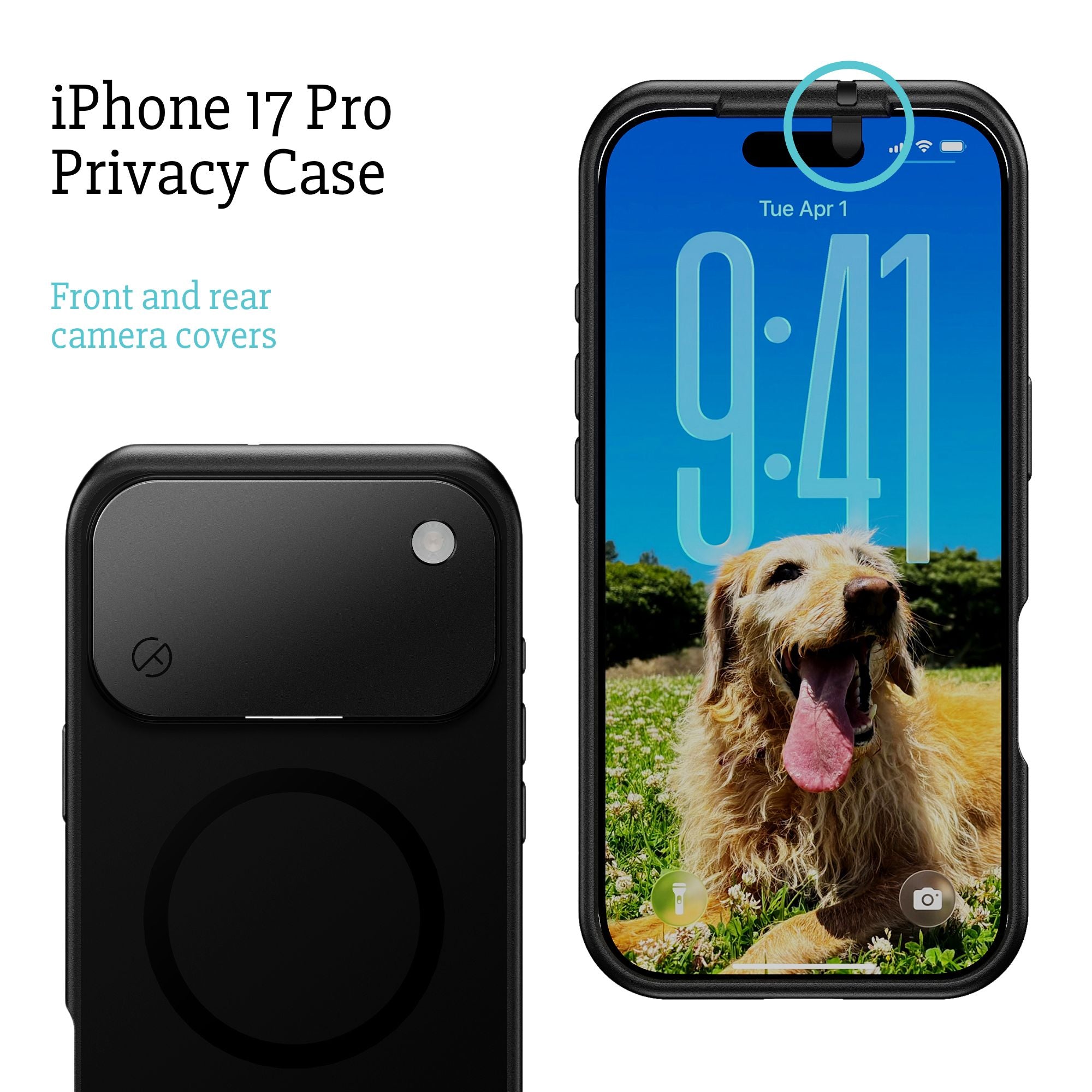
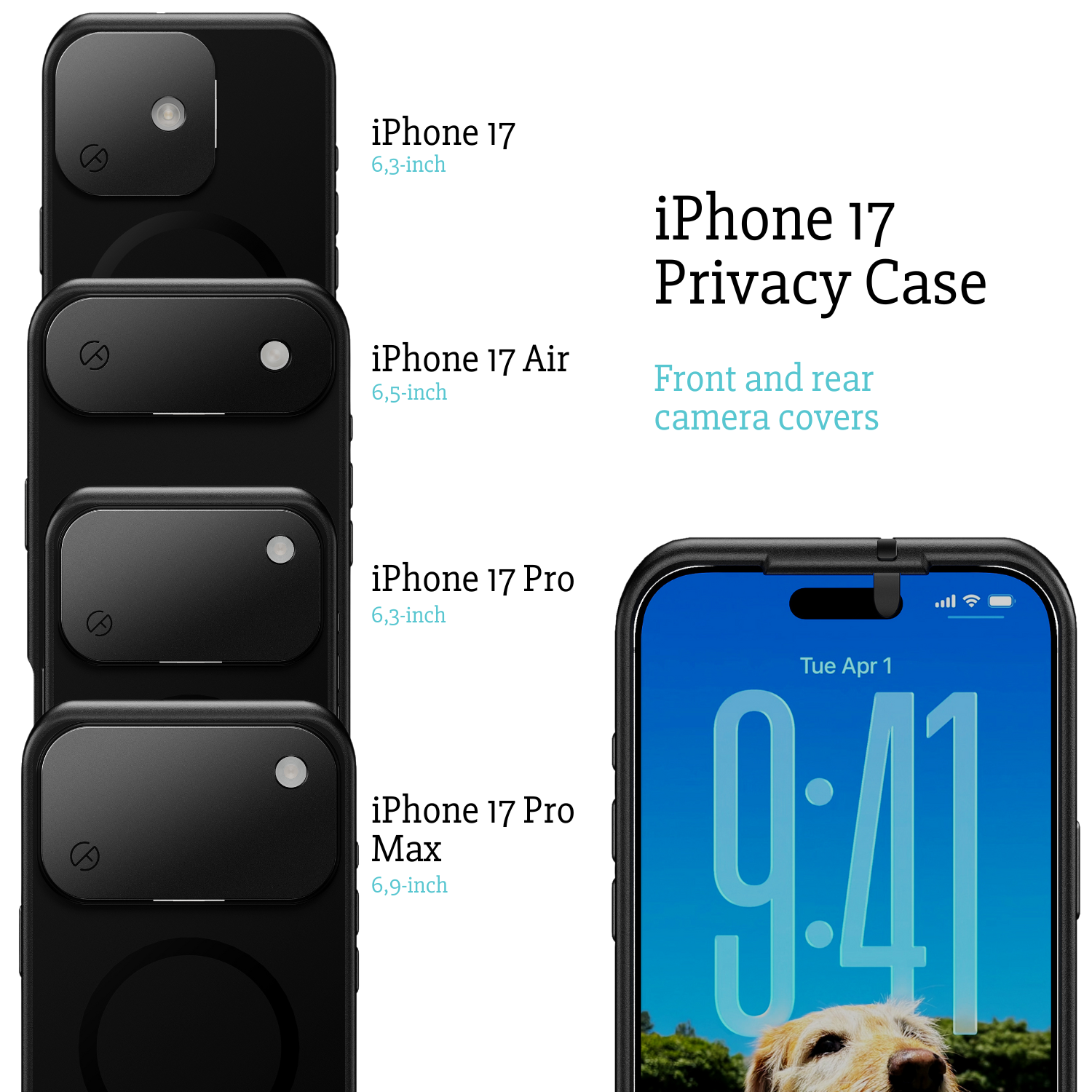
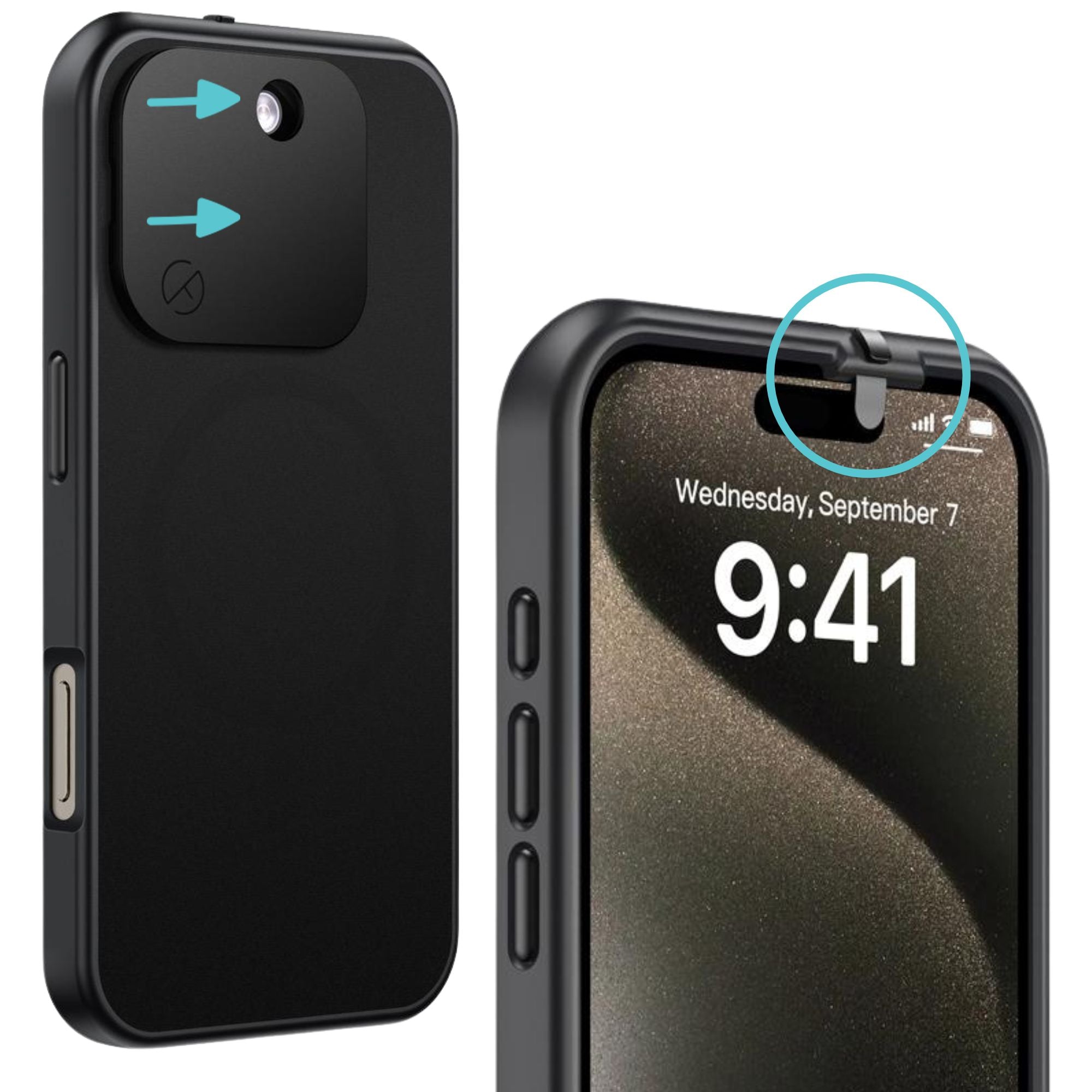
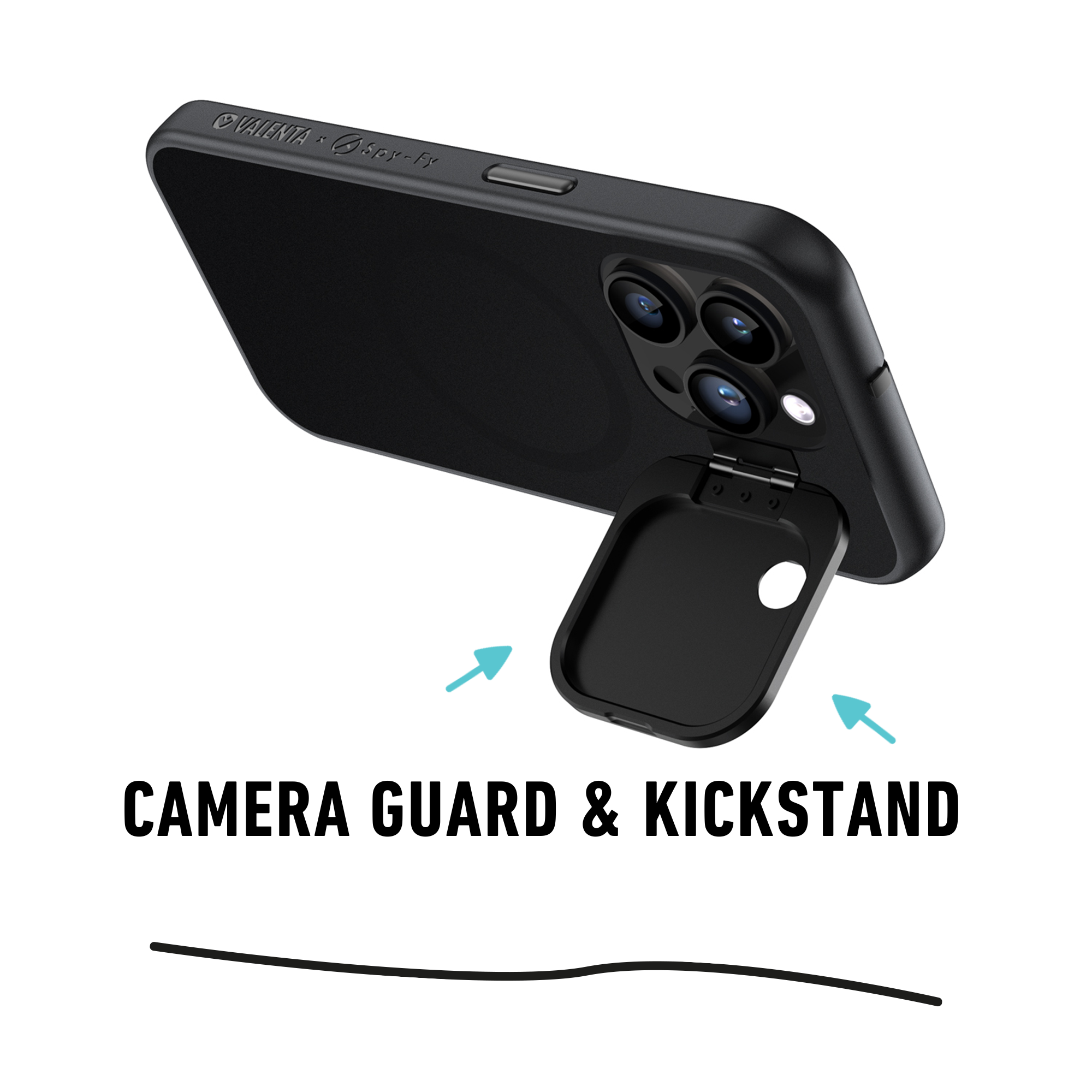
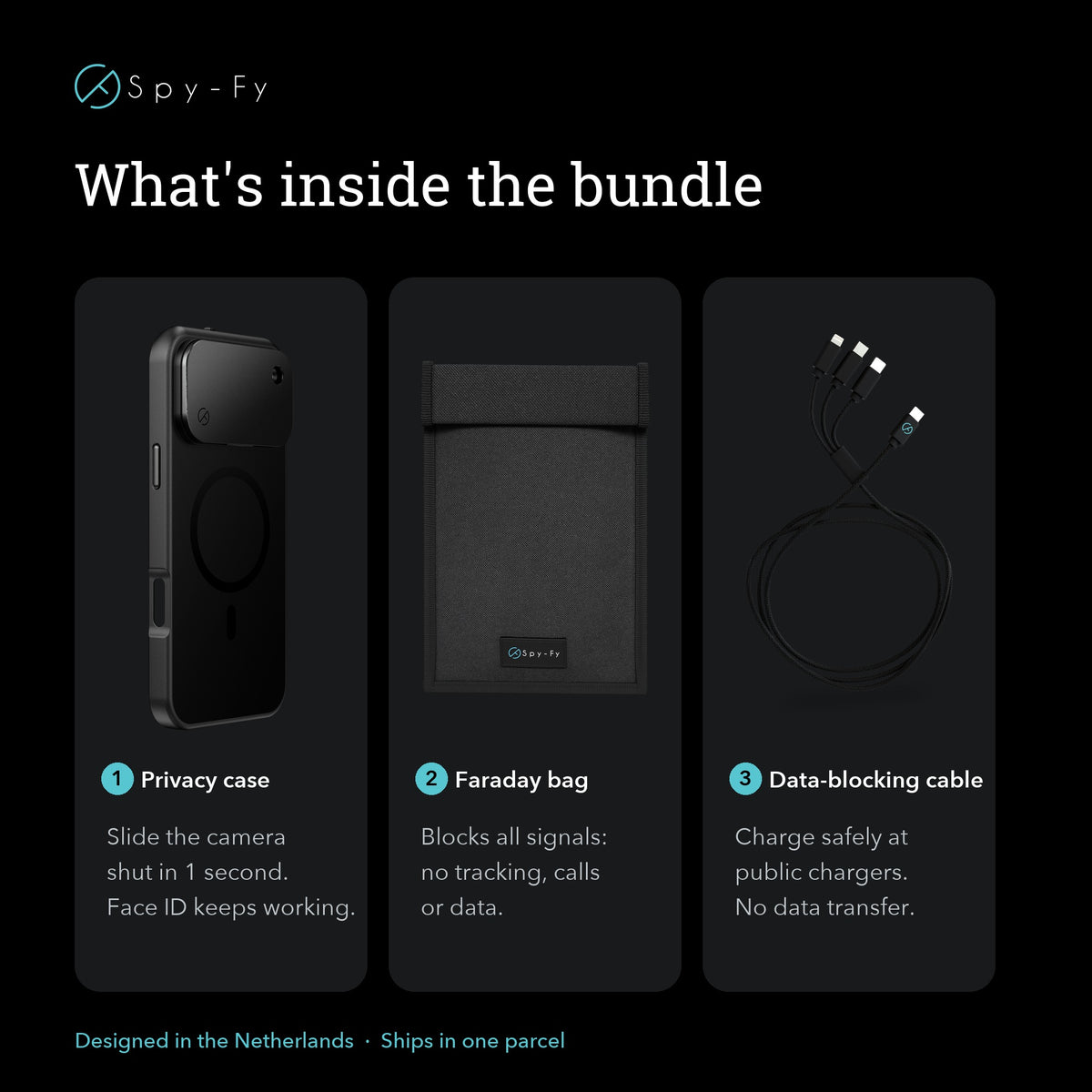
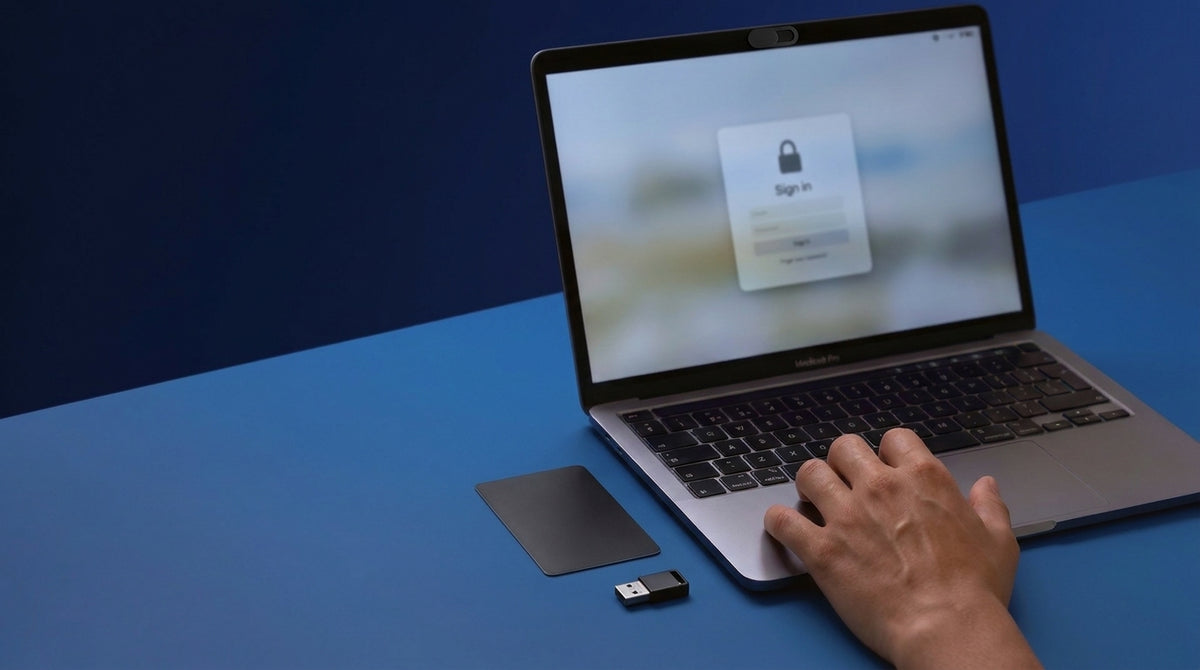
This is why physical covers belong on the same checklist as passkeys. Spy-Fy's Spyslide webcam cover is stainless steel and 0.6 mm thin, which Spy-Fy states makes it compatible with any laptop, MacBook or tablet you still need to close. For phones, the iPhone 17 privacy case with built-in front and rear camera covers keeps the control on the device rather than on a sticker that peels off in a bag, and Spy-Fy lists a separate case for the iPhone 18 Pro and 18 Pro Max. The front cover slides open for Face ID, the rear cover flips closed while the flashlight still works, and the case is MagSafe compatible. Owners of newer models should pick the case built for their exact device, since an iPhone 17 case fits only the iPhone 17 series. Tape works for a week. A purpose-built cover works for the life of the device.
Video calls deserve their own habit. Join with the camera off by default, confirm who is in the room before sharing a screen, and close the cover between meetings rather than after an incident. Spy-Fy's rundown of Zoom privacy settings worth changing covers the meeting-level controls that pair with a hardware cover.
How to stay safe online on public Wi-Fi and while traveling
Travel compresses every risk into a few days. You use networks you do not control, charge from ports you did not install, and work on documents in seats with a stranger directly behind you.
Use your phone's cellular hotspot instead of hotel or airport Wi-Fi when the work is sensitive. A virtual private network moves your trust from the network operator to the provider running the tunnel, which only helps if that provider is one you would trust with your full browsing history, so choose a paid service with a published independent audit rather than a free app. Avoid plugging into public charging ports directly. A USB data blocker that passes power through and cuts the data pins removes juice jacking from the list entirely. Carry contactless cards behind an RFID blocking card in the wallet, and keep the camera cover closed in conference rooms and lobbies.
One habit specific to the Apple ecosystem: Call Screening, introduced with iOS 26 and carried into later releases, is off until you switch it on, after which it silently answers calls from unknown numbers and collects caller information before your phone rings, alongside an Unknown Senders and Spam folder in Messages. Call Screening is a filter, not spam protection. You switch it on under Settings, Apps, Phone, Screen Unknown Callers, Ask Reason for Calling; the Silence option sends unknown numbers straight to voicemail instead. It does not block or label scam calls, so an unknown caller with a plausible answer still gets through; Apple's separate call filtering settings are what move suspected spam calls to a Spam list.
Keeping a household safe without surveillance
Family safety works better as a conversation than as a monitoring regime. Set accounts up together, explain why a stranger asking to move the chat to another app is a warning sign, and agree that any request for photos, codes or money gets shown to a parent with no consequences for the child. Cover the cameras on tablets and shared laptops the same way you cover your own, and audit camera and microphone permissions on the apps children actually use. Spy-Fy's guide to protecting children's privacy online walks through both the settings and the conversations.
What to do after a data breach
Breach exposure is close to universal in the United States. The Identity Theft Resource Center (ITRC, a nonprofit that tracks US data compromises) counted a record 3,322 US data compromises and 278,827,933 victim notices in its annual report. Its survey of 1,040 consumers found 80% had received a breach notice during the twelve months studied, and 88% of those saw at least one negative consequence.
If a notice arrives or an account looks compromised, work in this order. Change the password on your email account first, from a device you trust. Revoke active sessions and connected apps. Add a passkey or authenticator app if the account did not have one. Check mail forwarding rules and recovery phone numbers, because attackers plant those to keep access after a password change. Report fraud to the FTC at reportfraud.ftc.gov and cyber-enabled crime to the FBI at ic3.gov. If you received an Apple threat notification, treat it as individually targeted, enable Lockdown Mode, and get expert help rather than troubleshooting alone.
Start with the ten minutes that matter most
Knowing how to stay safe online comes down to four moves: set up a password manager, enable passkeys on your email and bank, turn on automatic updates, and cover the cameras on the devices you work from. Those steps remove the attack paths behind the majority of reported losses, and three of them cost nothing. For professionals the stakes go beyond money. A compromised camera in a hospital corridor is a Health Insurance Portability and Accountability Act (HIPAA, the US law governing protected health information) problem. An open microphone during a client call is an attorney-client privilege problem. A reporter's device that turns a source meeting into evidence is a problem no insurance policy fixes.
The fourth move is the one people postpone, because tape feels good enough. It is not, and it looks it. Spy-Fy's collection of privacy cases with integrated camera covers gives you a shutter that opens for Face ID, closes with one thumb, and stays on the device for as long as you own it, including a pre-order case for the iPhone 18 Pro and iPhone 18 Pro Max. Pick the case built for your model, close the cover between calls, and the physical layer of your online safety is handled.