
What is confirmed
Updated September 28, 2026. Apple announced the iPhone 18 Pro and iPhone 18 Pro Max on September 9, 2026, and both went on sale on September 18. The iPhone 18 Pro camera system uses three 48 MP cameras, a variable aperture main camera and manual Pro Controls, and it records up to 4K ProRes at 120 fps. The iPhone Duo, Apple's first foldable, follows on October 23 with a FaceTime camera hidden under the inner display. There was no standard iPhone 18 at this event.
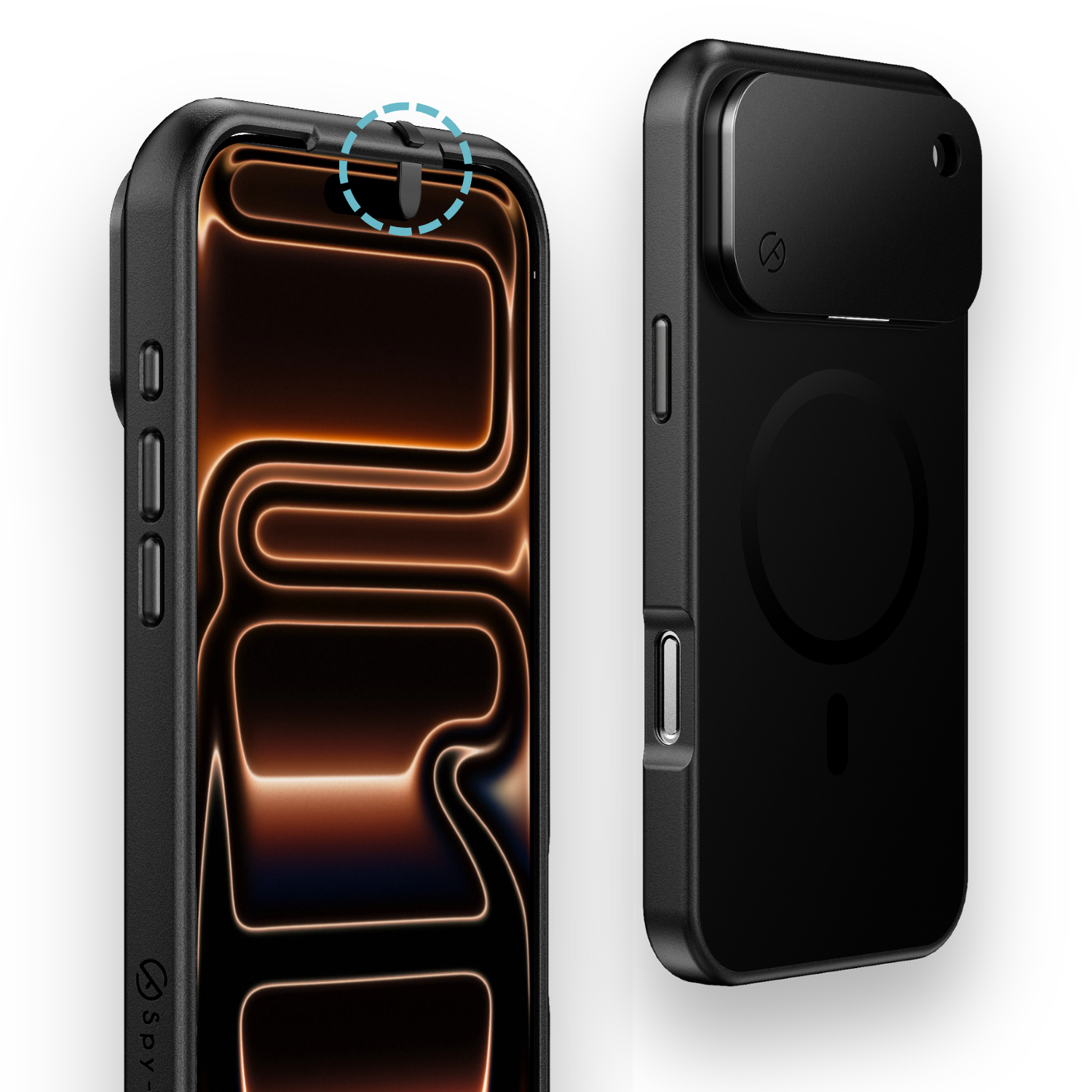
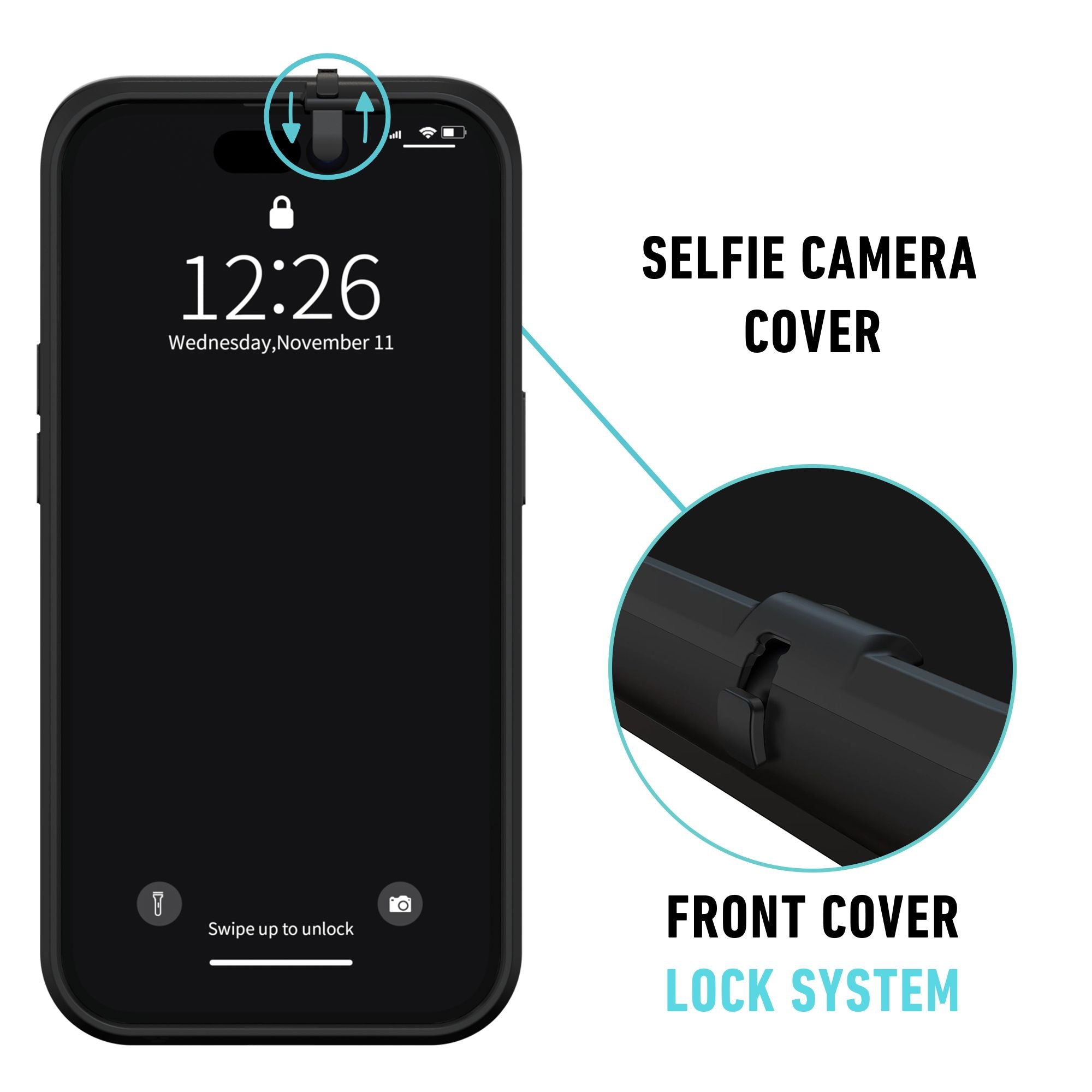
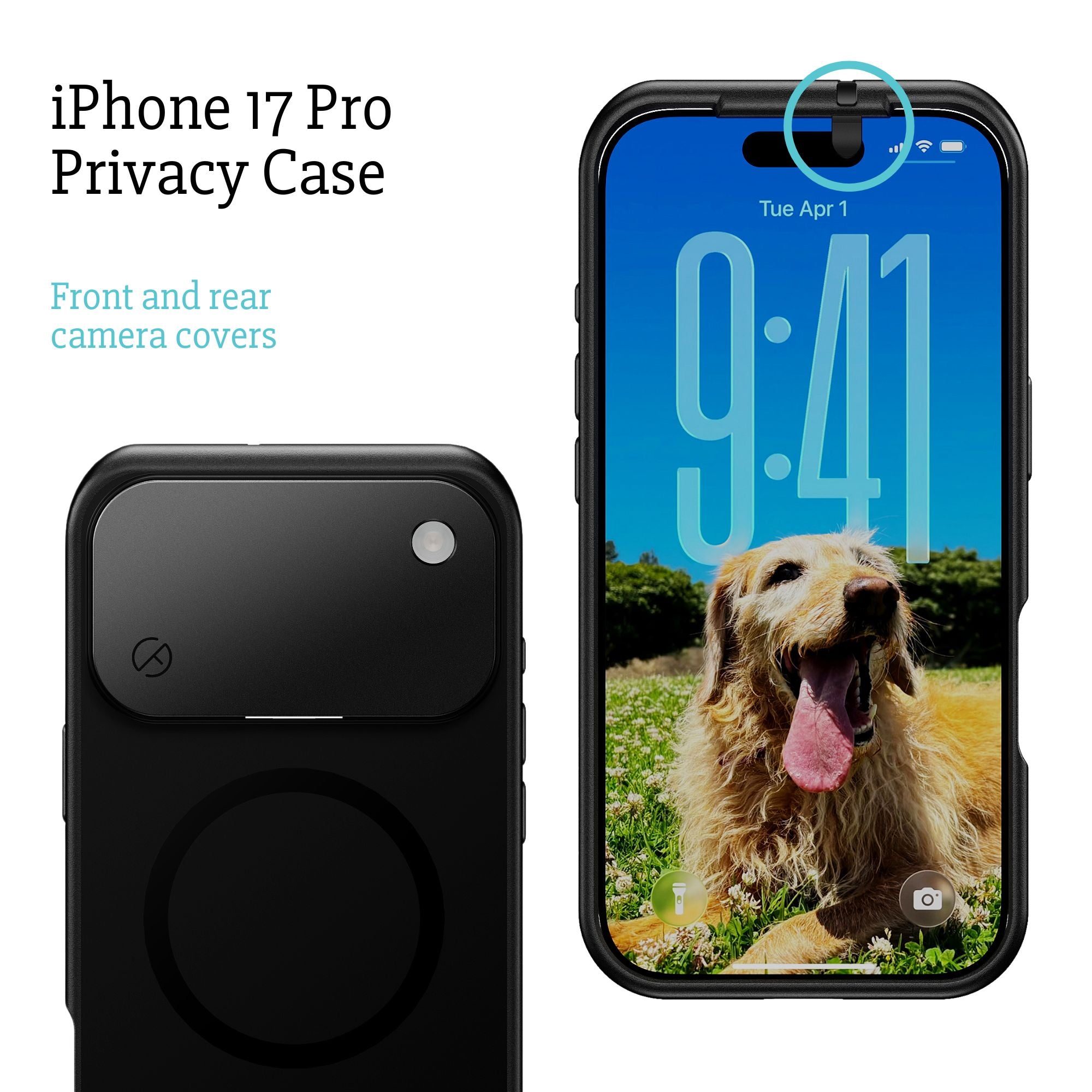
Apple framed the new lineup around one idea: a phone that sees, hears and reasons over the world around you. The camera is where that idea is most visible, so this article takes the iPhone 18 Pro camera as its spine. It explains what changed, what the Pro, the Duo and the Apple Watch Series 12 now see and hear, and where a software promise ends and a physical control begins. If you already know you want that physical control, the iPhone 18 Pro privacy case covers both the front and the rear lenses with sliding covers.
Three 48 MP cameras on the iPhone 18 Pro and Pro Max
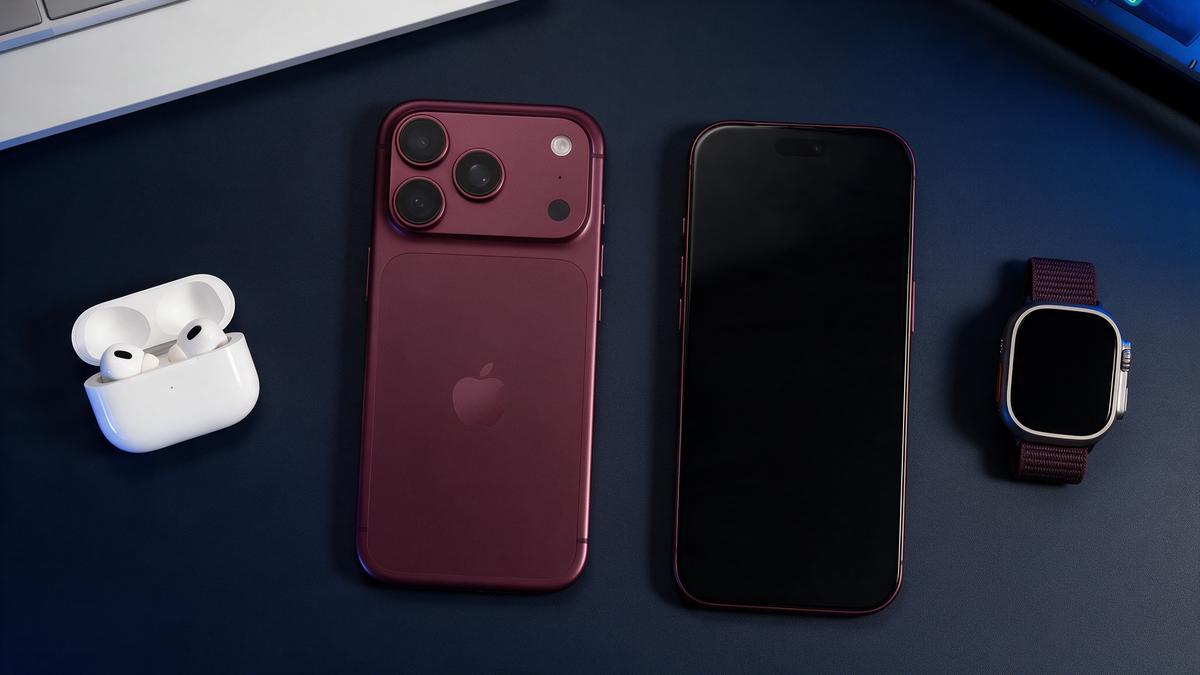
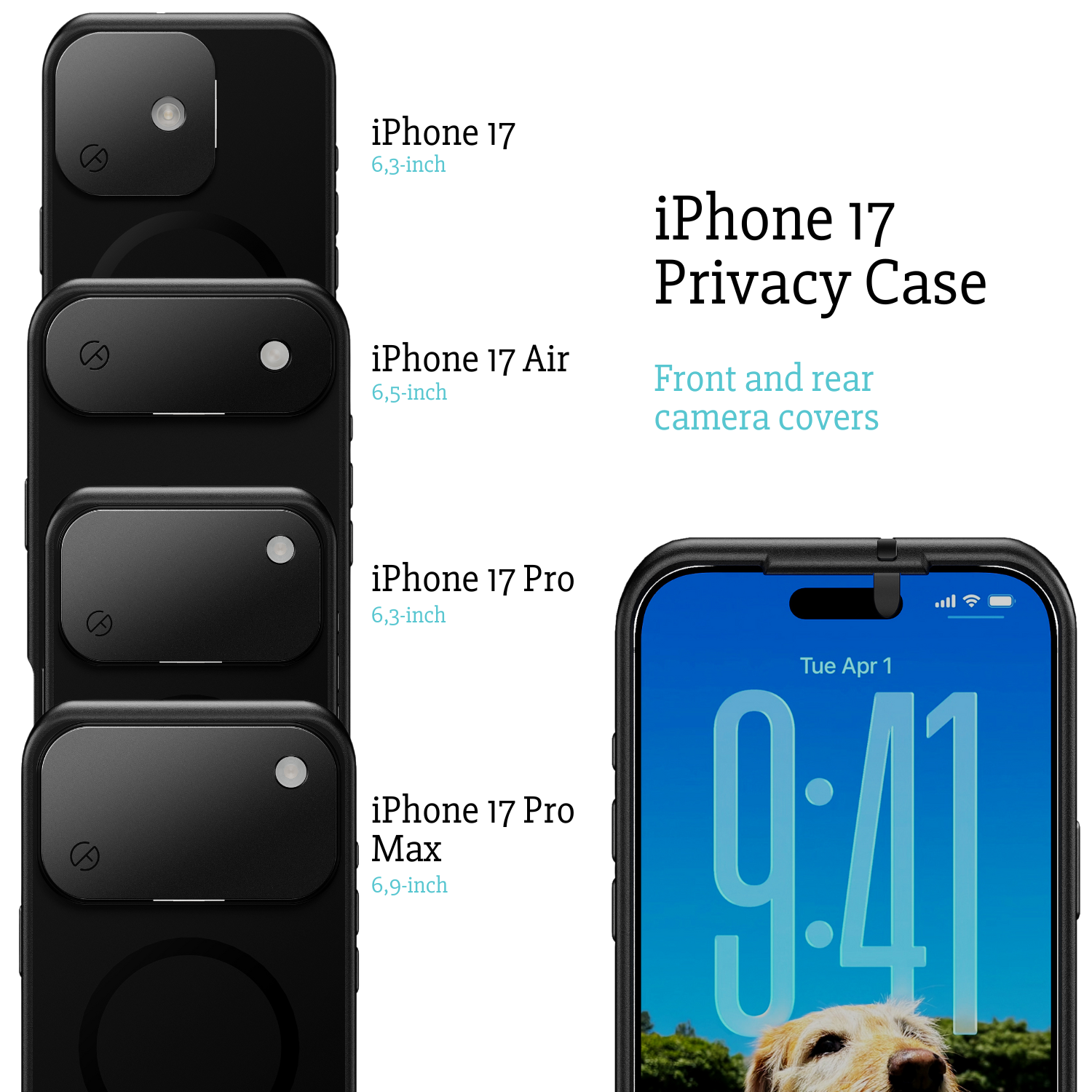
The iPhone 18 Pro camera and the iPhone 18 Pro Max camera are identical. Both phones carry three 48 MP cameras on the rear plateau, so the choice between the two models comes down to screen size (6.3 inch versus 6.9 inch), battery (up to 36 hours of video versus up to 45 hours) and weight (211 grams versus 249 grams). Business buyers who order in volume can take the smaller phone and lose nothing in optics.
All three cameras feed the A20 Pro chip, built on 2 nanometer with a dual 16-core Neural Engine, 32 cores in total. More of the processing that used to need the cloud now happens on the phone itself. For privacy that means the camera is increasingly an input for on-device models, not just a shutter.
The variable aperture main camera
The headline change is the 48 MP Fusion main camera with a variable aperture. Six laser-cut blades open and close in front of the sensor, the way a traditional camera lens does. A wide aperture lets in more light and softens the background. A narrow aperture keeps more of the scene sharp. On every previous iPhone the aperture was fixed, and depth of field was simulated in software. On the iPhone 18 Pro it is optical.
Apple pairs this with Pro Controls in the Camera app: manual settings for aperture, shutter speed and white balance, plus a live histogram so you can judge exposure before you press the shutter. Everyone who does not need them can leave the phone in automatic and never see them.
Low light and 4K ProRes 120 fps
In the dark, Apple says the main camera captures about 50% more light than before. The larger vapor chamber helps too, because the phone can run the sensor and the Neural Engine harder for longer, with up to 40% better sustained performance than the iPhone 17 Pro.
Video moves to 4K ProRes at 120 fps, with external storage over USB-C. The files are large enough that Apple assumes you will record straight to an SSD. Storage on the phone itself runs from 256 GB to 2 TB.
The front camera and the smaller Dynamic Island
On the front, the Dynamic Island got smaller and now shows three Live Activities at the same time. The front camera and the Face ID sensors sit inside that smaller cutout. Face ID stays, and on the Pro models it stays visible: you can see the lens, and you can cover it. That distinction becomes important when you look at the Duo. For the full picture of the new front and back, our design article covers what the iPhone 18 Pro looks like and where the cameras sit.
What the iPhone Duo sees
The iPhone Duo is Apple's first foldable, with a 7.6 inch inner display and a 5.4 inch outer display, priced from $1,999 and on sale since October 23. Its most distinctive privacy detail is the FaceTime camera of the inner display. It sits under the screen and is invisible until it is active. There is no Face ID on the Duo; Touch ID lives in the side button.
A camera you cannot see is a camera you cannot cover. The Duo has lenses on the outer display, on the rear and under the inner display, and the standard iOS indicator dot is your only trust signal for the hidden one. Spy-Fy does not make a case for the iPhone Duo, and we will not promise one. If your work depends on knowing when a lens is blocked, the Pro and Pro Max are the phones where a physical cover is possible.
What the Apple Watch Series 12 hears
The Apple Watch Series 12 and Ultra 4 add two features that listen to the room. Live Rewind shows the last 15 seconds of conversation as text after a double press of the Digital Crown. Siri Recap summarizes conversations over the course of your day. Both arrive in beta later in 2026, English first.
Apple's privacy commitments here are specific: no audio recordings are created or stored, raw audio is inaccessible even to Apple, speakers are not identified and transcripts are end-to-end encrypted. What they do not address is the other people in the room, who did not choose to be transcribed. In a boardroom, a clinic or a client meeting that is a conversation to have with your team, not a setting Apple can fix.
The privacy triangle: device, camera, protection
It helps to think of iPhone 18 Pro privacy as three corners of a triangle.
- The device. The A20 Pro processes more on the phone and hands heavy tasks to Private Cloud Compute, which Apple says nobody can access, not even Apple. These are software guarantees, and they are good ones.
- The camera. Three 48 MP sensors with a variable aperture and 50% more light in the dark. The better the camera, the more it can capture when it is on, and the more valuable it is to know exactly when it is off.
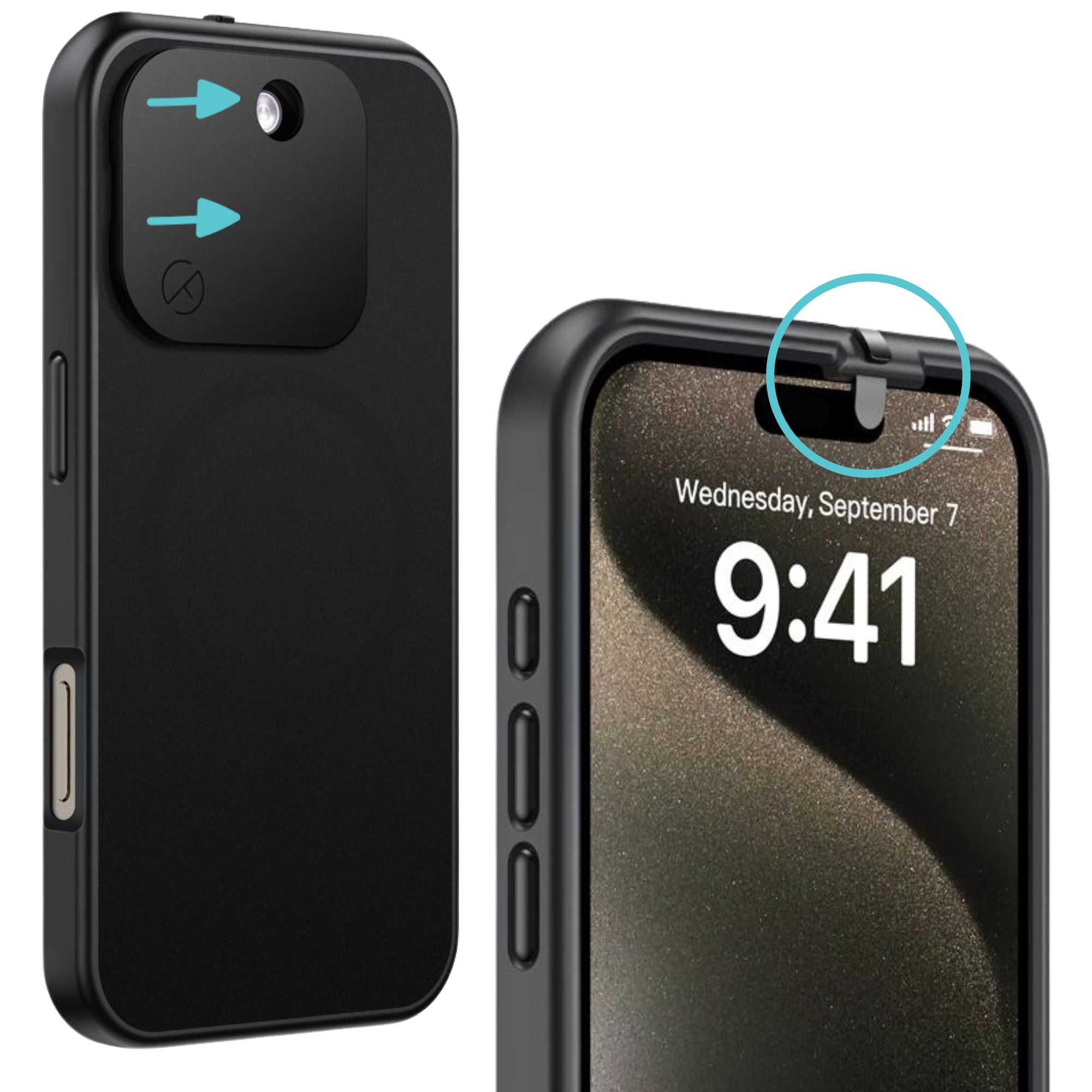
- The protection. The green camera dot, the orange microphone dot and the per-app permissions in Settings are software. They depend on iOS being configured the way you think it is, after every update and every permission prompt. A sliding cover is hardware. When it is closed, the lens is blocked, regardless of what iOS 27, Siri or any app is doing.
The two kinds of protection are not competitors. Software controls what apps may do. Hardware controls what the lens can physically see. A professional who handles confidential material wants both, because they fail in different ways.
Four practical steps after unboxing
- Audit camera and microphone permissions per app. Open Settings, then Privacy & Security, then Camera and Microphone. Revoke anything without an obvious reason to see or hear you.
- Learn the indicator dots. Green means the camera is active, orange means the microphone is active.
- Decide on Siri Recap and Live Rewind in advance. On the Watch, off is a sensible default in sensitive settings.
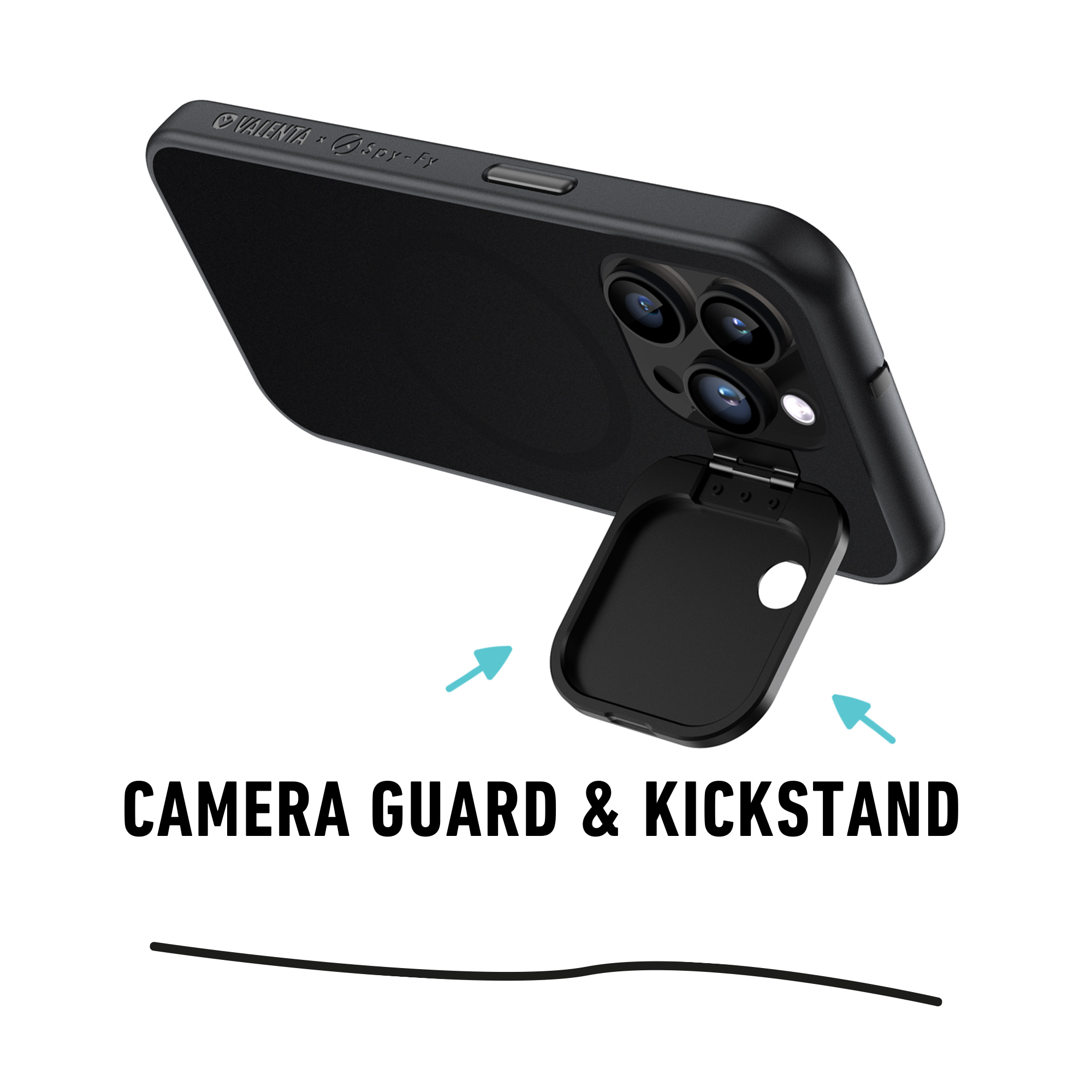
- Add a physical cover to the iPhone lenses. A case with a sliding front cover and a flip cover over the rear cameras gives you an unambiguous on-off state that no update can change.
If you are still deciding between this year's Pro and next spring's standard model, Apple's split launch is explained in why Apple is splitting its iPhone launch in two. The standard iPhone 18 and the 18e are expected in spring 2027, and that is the only part of the lineup that is not yet confirmed.
The bottom line on the iPhone 18 Pro camera
The iPhone 18 Pro camera is the biggest optical change to an iPhone in years: a real variable aperture, manual Pro Controls, about 50% more light at night and 4K ProRes 120 fps. For most people, Apple's software promises are enough. For professionals whose work depends on confidentiality, adding a hardware layer changes the failure mode. The iPhone 18 Pro Max case with camera cover fits both the Pro and the Pro Max, keeps Face ID, MagSafe and the flashlight working, and survives a 2 meter drop.